
Find your way around more easily, do more with Roger AI, and work through your numbers together. Explore a cleaner workspace, interactive presentations, your invoices in the platform, and comments that keep the conversation connected to your data. Already using Advise? A walkthrough will appear when you log in to guide you through the changes.
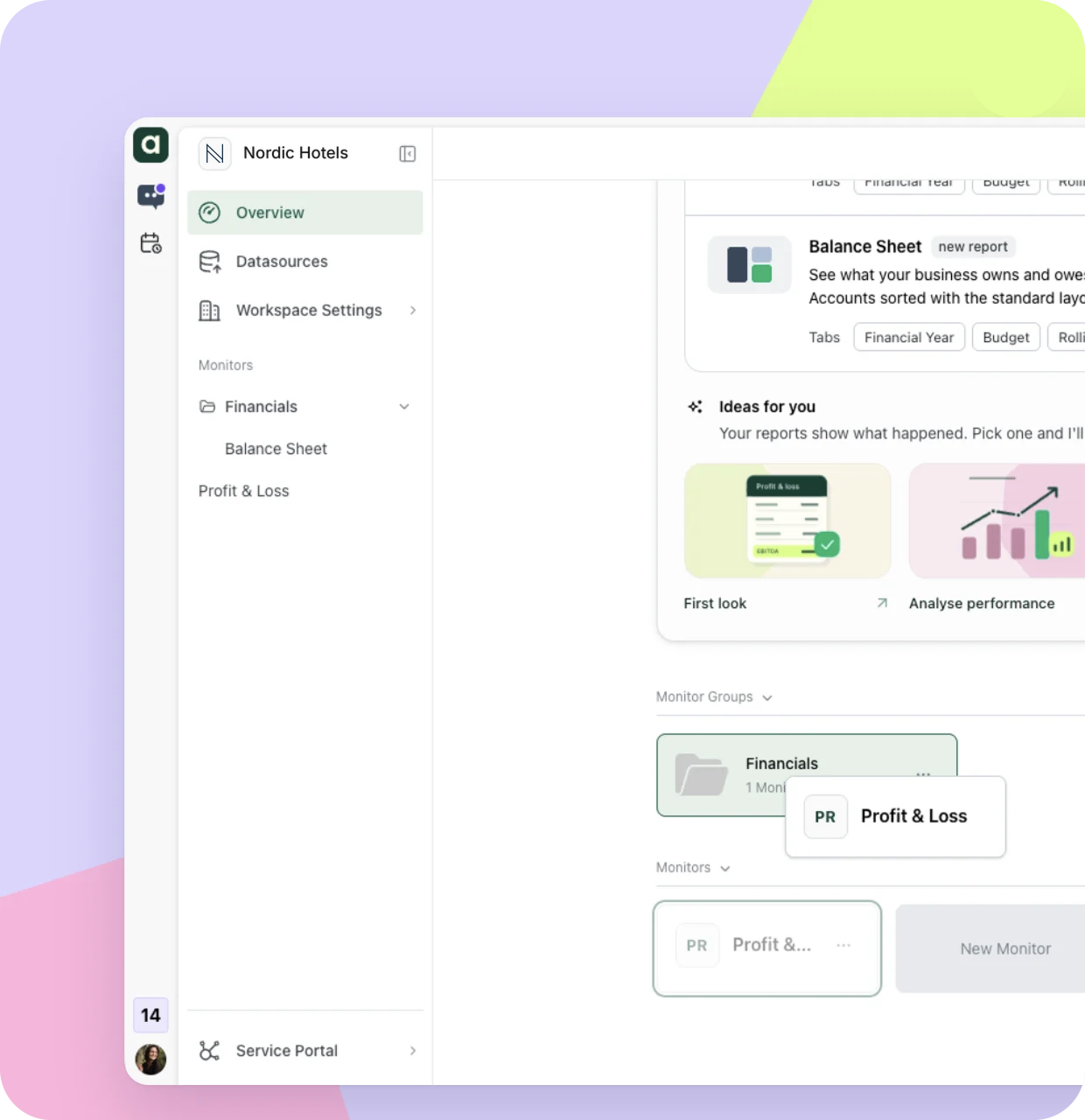
Spend less time looking for reports and more time using them. Your monitors and reports now fill the left navigation, with data sources close by. The new overview flags what needs attention, like unread comments and unsorted accounts.
- Group your reports. Drag monitors into groups on the overview to keep each company, entity or department together. Then open any group straight from the left navigation.
- Roger AI always in reach. A slim rail on the far left keeps Roger AI and your account one click away, wherever you are in Advise.
- Settings where you expect them. You’ll find them in Workspace settings, or in the user menu at the bottom of the rail.
Switching companies? Use Organisation settings near the bottom left.
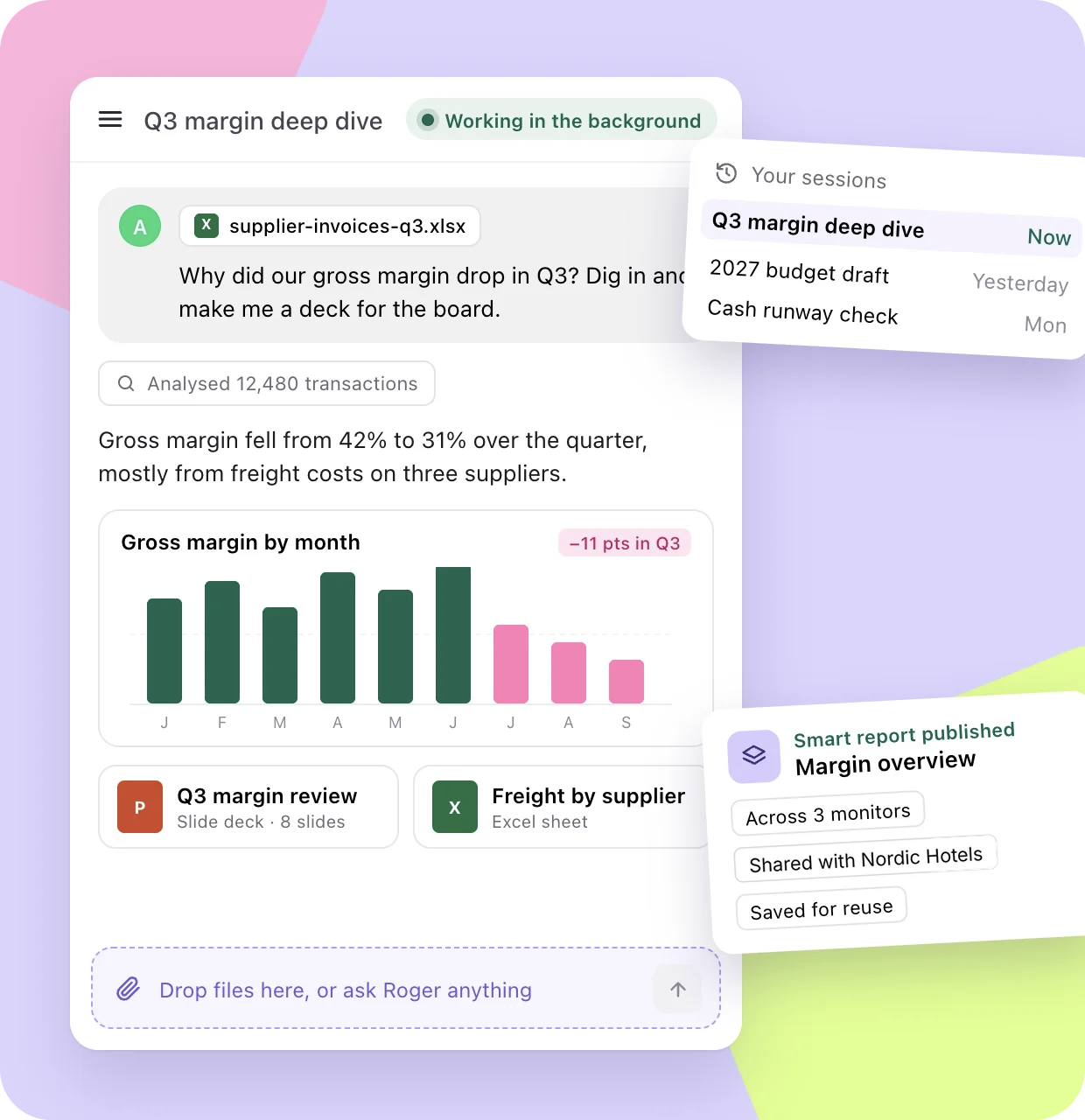
Give Roger AI the work, not just the question.
Roger AI is your analyst inside Advise. Hand over the task and carry on with your day: Roger AI keeps working in the background, and every session is saved so you can pick up where you left off. It works with your data and asks before making changes, so you stay in control. Ask Roger anything, give him a try.
- Deep dives into your data. Ask why a number moved. Roger AI analyzes every financial transaction behind it and draws custom charts right in the chat.
- Budgets and reports through a conversation. Ask Roger AI to build your budget, set up monitors or write a report.
- Smart reports you can reuse. Publish a report across several monitors or inside one, share it with your organization and save it for next time.
- Files in, documents out. Drop a file into the chat, or ask for a slide deck or a custom Excel sheet.
Present your numbers. Work through them together.
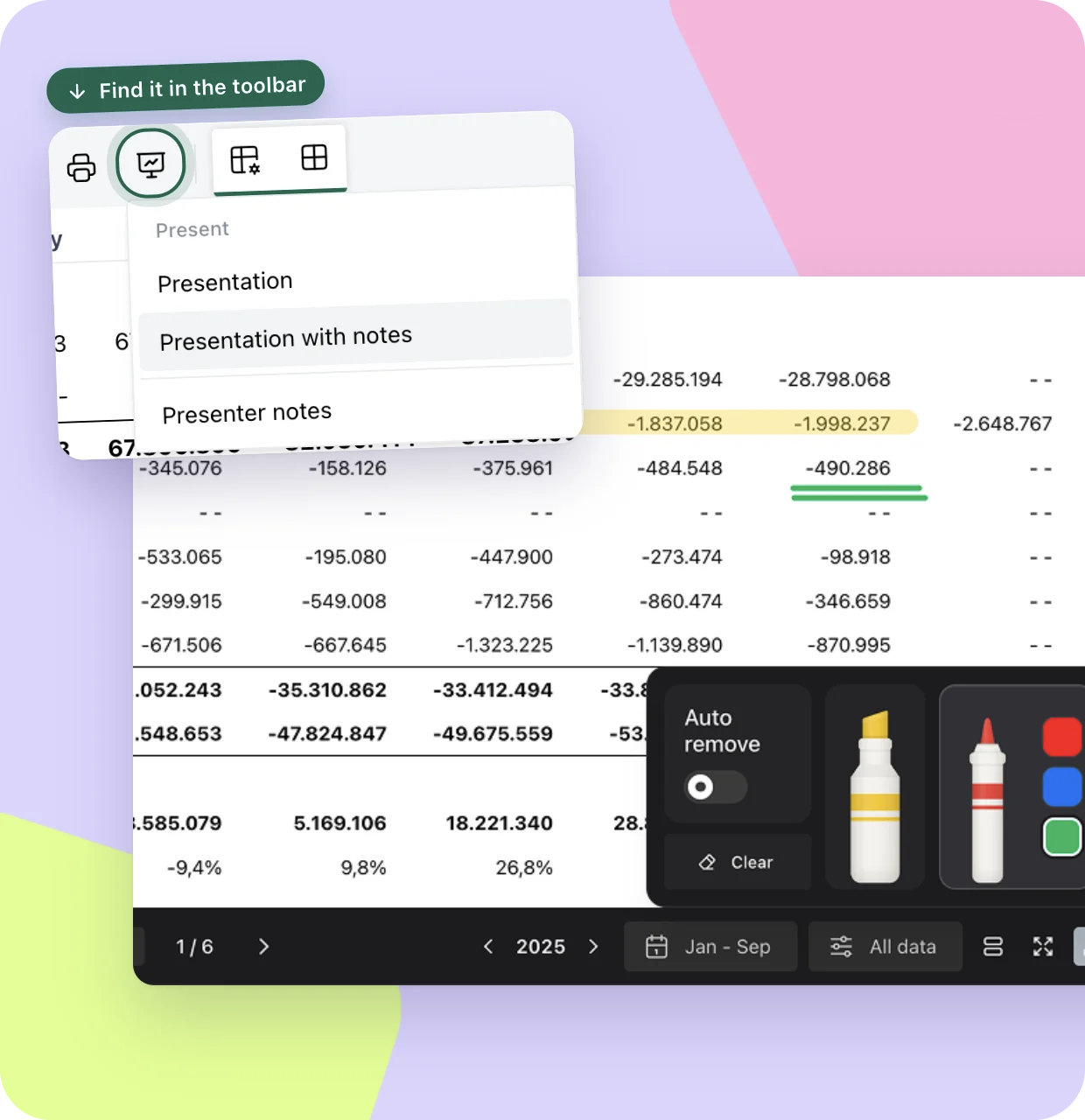
Bring live numbers to your next board meeting. One click in the toolbar turns any monitor into a clean presentation. Your reports stay interactive, so you can explore the numbers, make changes and work through new questions with your team as they come up.
- Presenter view. Open your notes for each tab, and Roger AI, in a second window your audience can’t see.
- Point of attention. Highlight or circle a figure with the drawing tools.
- Answers on the spot. When the board asks why, drill into the number or ask Roger AI to analyze it, right there in the meeting
- Share a copy. Export to PDF when you need to send it on.