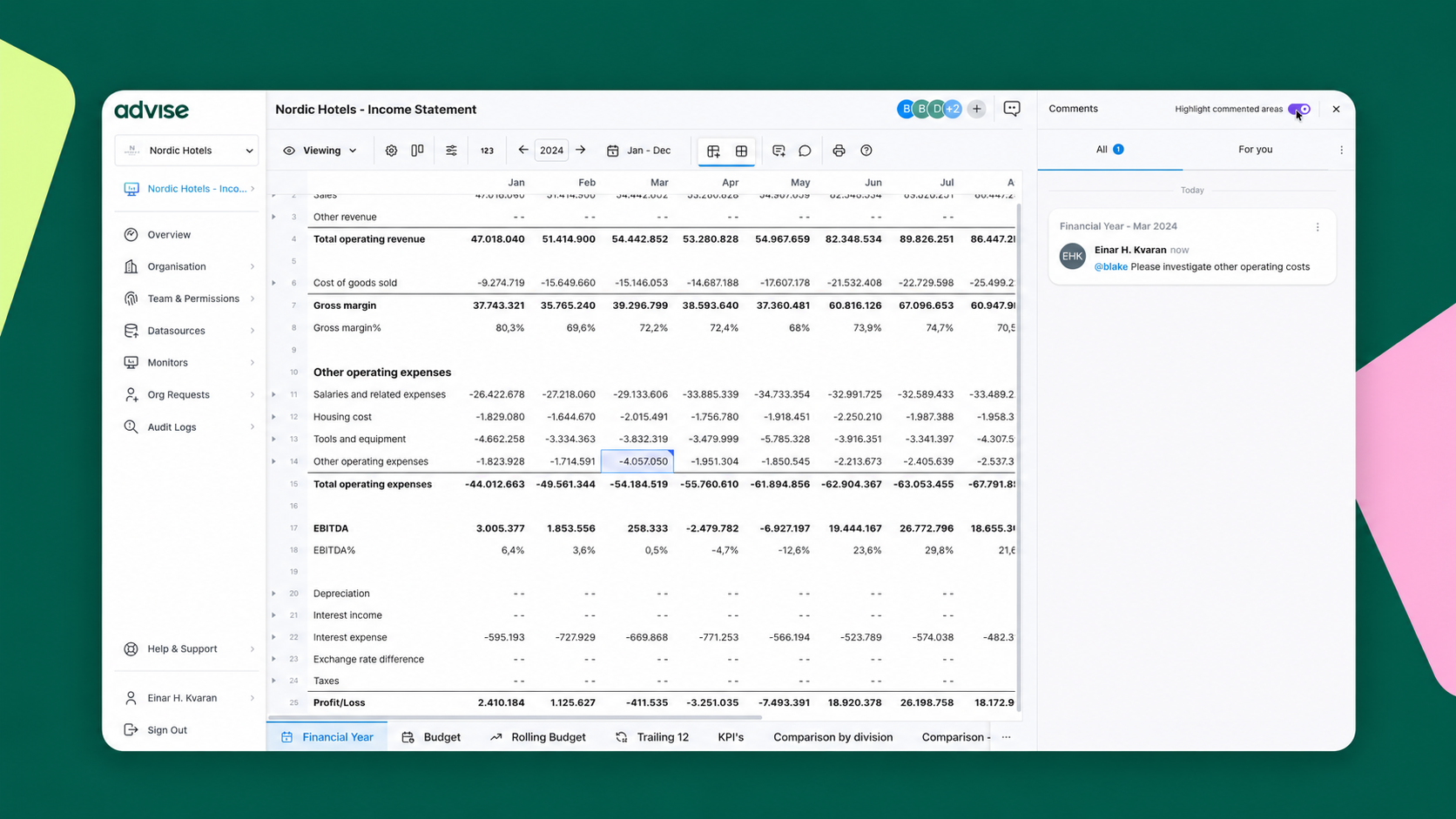
Explaining a change in costs, checking a transaction, and reviewing an adjustment are all part of working together on a report. Our new comments and assignments feature brings those conversations into Advise, alongside the data your team is reviewing.
Teams can now attach comments to a cell, column, row or widget and assign them to a collaborator. Each question or explanation has a clear point of reference, and each assigned comment has someone responsible for following up.
For example, a team reviewing a monthly report might want to understand an increase in travel costs. A comment against that figure can capture the question and assign it to the colleague best placed to investigate. Equally, someone preparing a report can add an explanation for an adjustment, giving colleagues useful context when they review the numbers.
“The people preparing and reviewing a report often hold different pieces of the explanation. Bringing those conversations into Advise helps that knowledge reach the people who need it. A comment adds context to the numbers, and an assignment makes responsibility for the follow-up clear.”
— Mikael Arnarson, CEO & cofounder, Advise
The video below shows the new communication feature in action.

Ready to start collaborating?
Do you want to understand how this new feature and other features in Advise can help you collaborate on financials? Get in touch with the team and book a demo.