Your financial review should give you room to explore a question, explain a change, and agree on what happens next. Switching between reports, presentation slides, and separate conversations makes that harder.
The latest Advise updates bring more of that work into one place. You can find your reports through a reorganized workspace, give Roger AI analysis and planning tasks, and discuss the numbers alongside your team. Join our live demo on November 18, 2026, to see Advise in action.
A clearer workspace for your financial reviews
Advise puts your monitors and reports in the left navigation, with data sources nearby. On the overview, you can group monitors by company, entity, or department, then open those groups directly from the navigation.
The overview also highlights items that need attention, including unread comments and unsorted accounts. A separate rail keeps Roger AI and your account within reach, so you can move between reviewing a report and asking a question.
Need the invoice behind the transation? These datasources currently offer file viewing for transactions: DK, BC v3, PayDay, Fortnox, and Uniconta.
Give Roger AI analysis and planning tasks
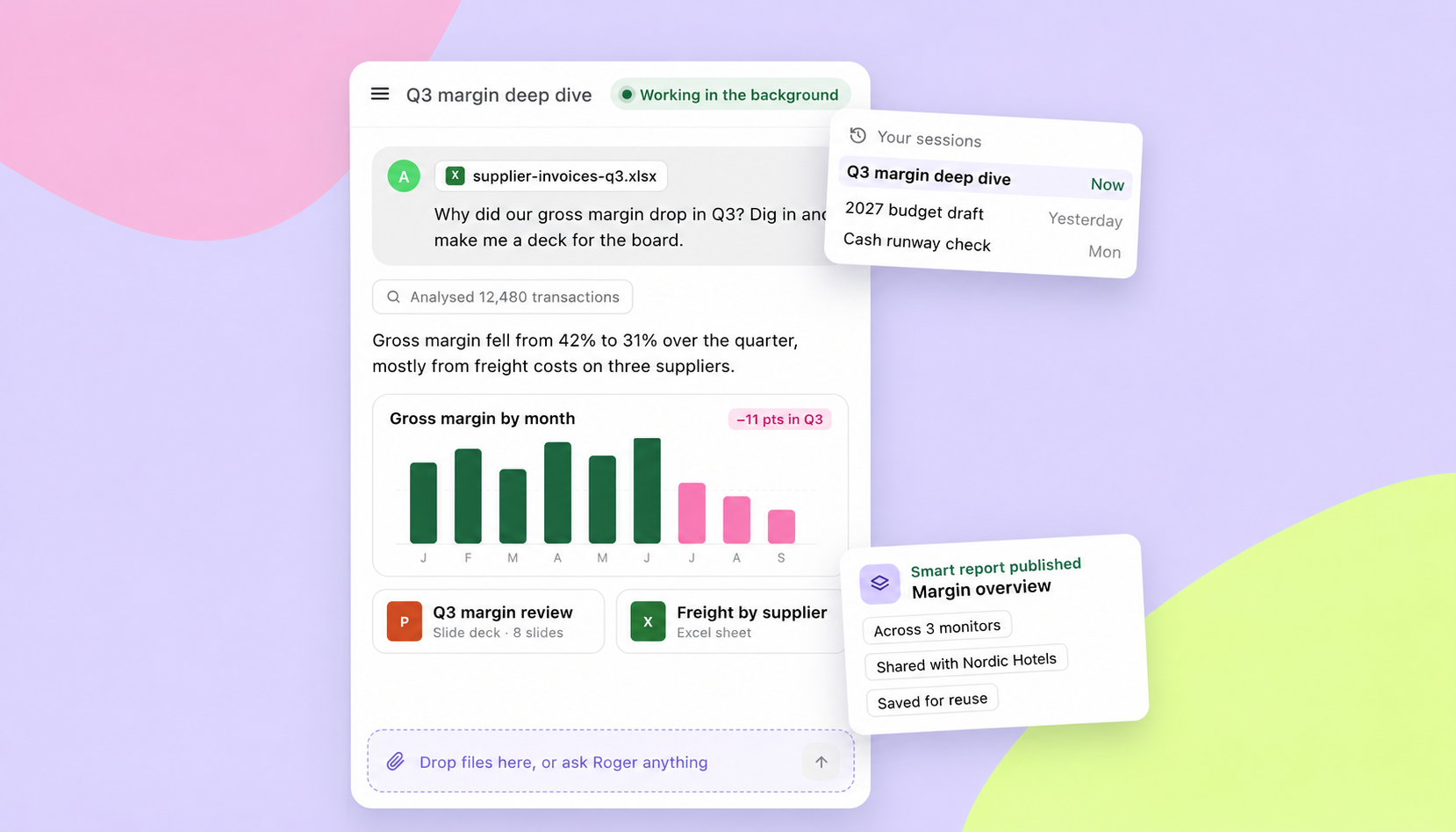
Roger AI works with your data to investigate financial questions and help create budgets, monitors, and reports. When you ask why a number changed, Roger AI can analyze the transactions behind it and draw custom charts in the conversation.
You can also upload a file or request a slide deck or custom Excel sheet. Roger AI can continue working in the background, and saved sessions let you return to the work later. It asks before making changes, keeping you in control.
For recurring analysis, you can publish a report across several monitors or within one monitor, share it with your organization, and save it for future use.
Present live numbers and explore questions together
Advise turns any monitor into an interactive presentation with one click in the toolbar. During a board meeting or performance review, you can investigate the data and make changes as questions come up, rather than relying solely on a static slide.
Presenter view puts your tab notes and Roger AI in a separate window your audience cannot see. Drawing tools let you highlight a figure, while transaction drill-down and Roger AI help you investigate the question behind it. You can export a PDF when you need to share a copy.
Keep comments and follow-up beside the data
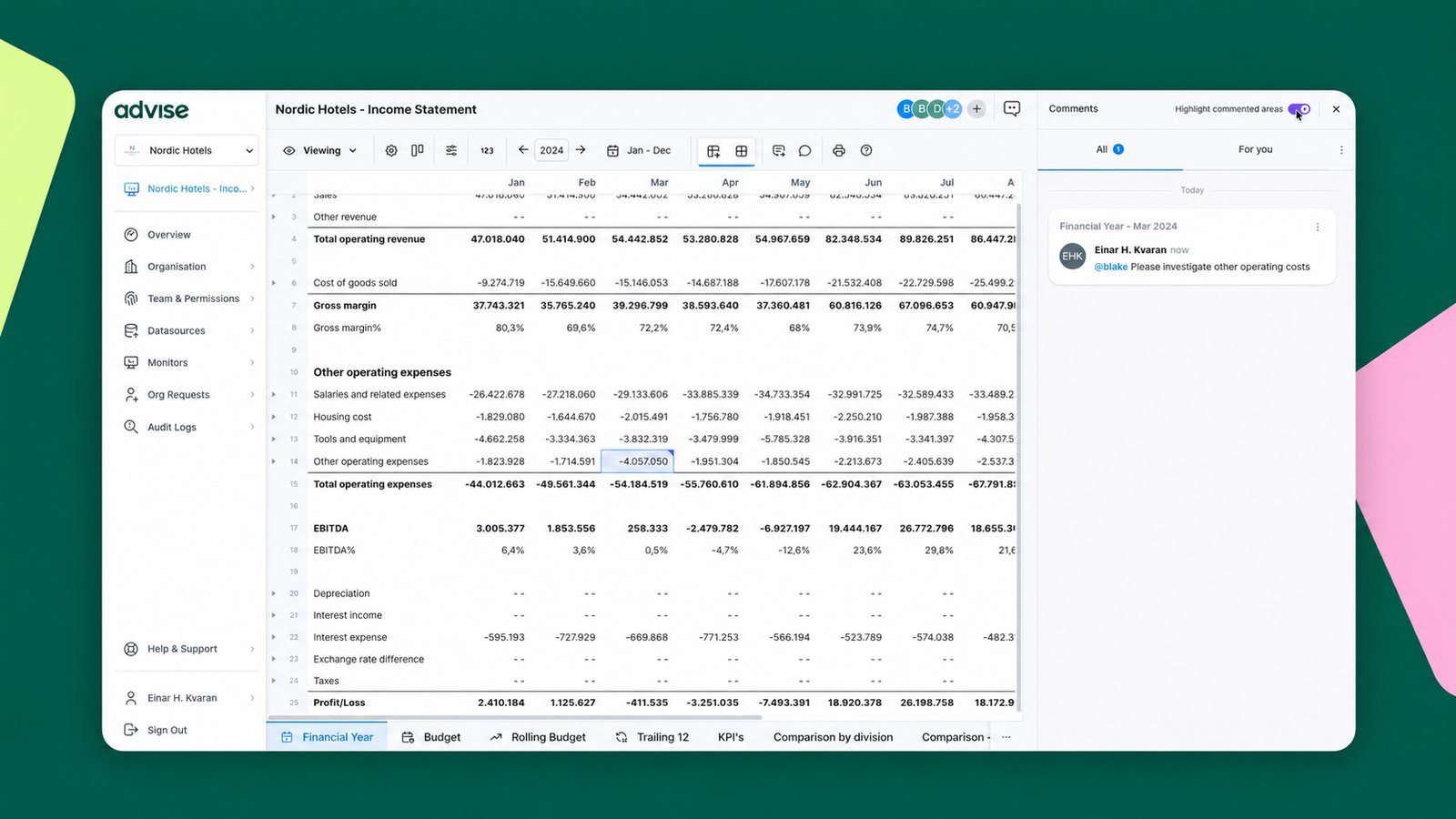
Comments and assignments connect your team's discussion to the numbers under review. You can attach a comment to a cell, column, row, or widget, then assign it to a collaborator so the follow-up has a clear owner.
That gives colleagues the context behind a cost change or adjustment when they review the report. The release also brings invoices into the platform through the transaction list, new data connectors including Shopify, Visma Business NXT, and Catacloud Sales, plus dashboard and widget improvements.
Join the Advise live demo on November 18
Join our live demo on November 18, 2026, for a closer look at Advise. If you are reviewing how your team works with financial data, the session is an opportunity to see the platform in action.
Visit our What's New page to explore the release and follow the public live demo link. Already using Advise? Log in to follow the walkthrough and find your way around the changes.